



Introduction
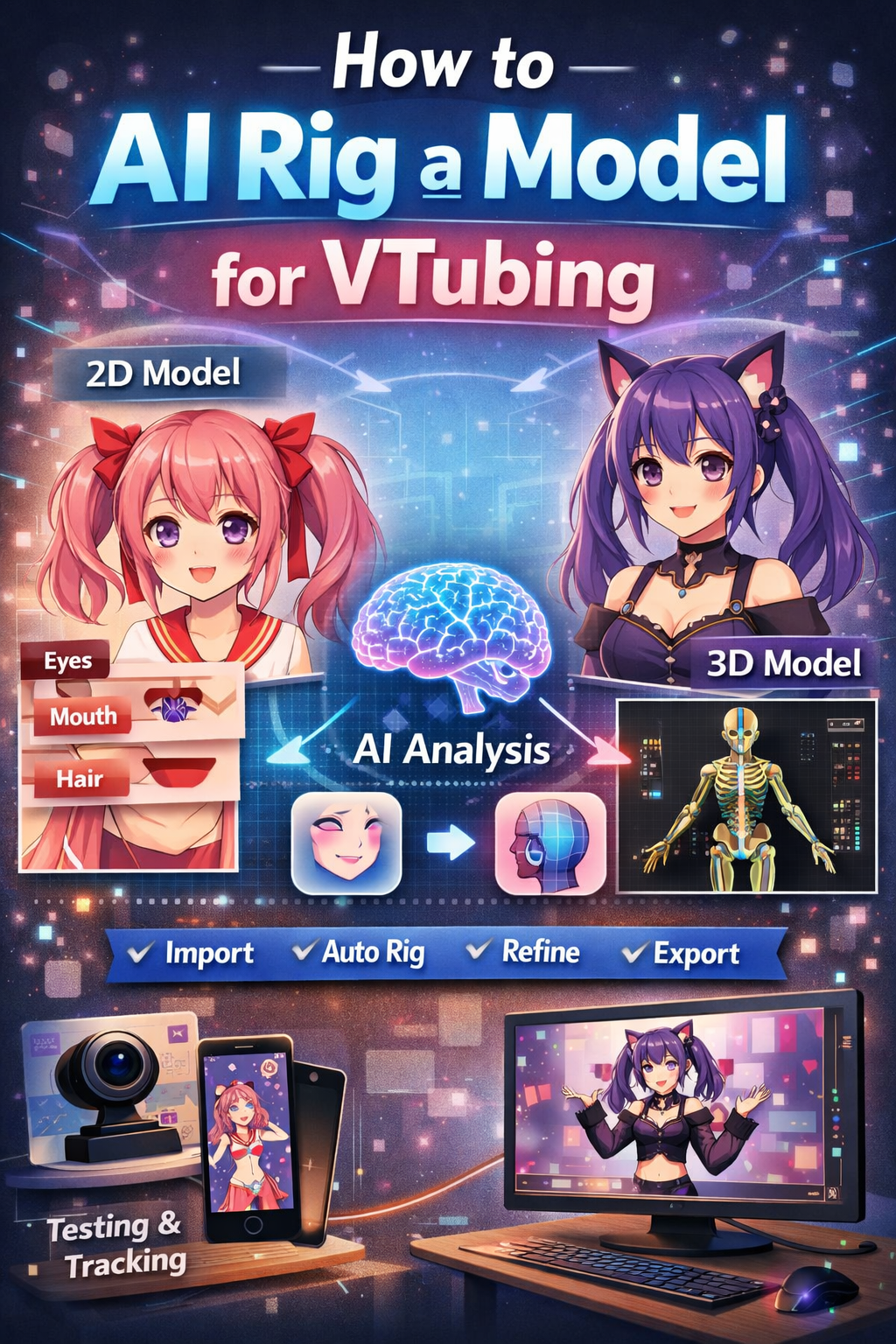
VTubing (Virtual YouTubing) integrates character design, motion tracking, and real-time animation to create digital avatars. In the past, design and animation were resource-intensive and could take hours to create. Now, AI automation makes the process faster and reduces the cost of rigging VTuber avatars.
This article covers the process of AI rigging, how to do it, and guides the reader towards AI rigging 2D (Live2D) and 3D VTuber avatars.
What Is AI Rigging?
Using computer vision and machine learning to automate the rigging process, AI rigging is able to recognize facial and body features to properly position bones in a character model. Instead of manually fitting a model, the AI evaluates the model and creates a functioning rig.
People saying that VTubers or AI rigging couldn’t help Indie VTubers or beginners are wrong. AI rigging is useful for:
– Beginners who are newcomers to the VTubing and rigging world.
– Indie VTubers who are low on budget.
– Rapidly prototyping characters.
– Lessening commission production time.
With VTubers, there is always a debate on whether rigging should be done in 2D or 3D.
2D (Live2D style) models are described as:
– Being based on illustrations that are layered.
– And movement is simulated by artwork deformation.
– Live2D models are face-tracked.
3D models are:
– Fully three-dimensional meshes.
– Support full body tracking.
– Used in VR and motion-capture setups.
XR rigging exists for both models, but the tools and workflows differ for each, and so does the preparation for each.
Preparing Models for AI rigging
Models, whether 2D or 3D, need to be properly prepared for AI tools from the first go.
With 2D models,
it is to:
– Clearly separate layers (eyes, mouth, brows, face, and hair).
– Never merge or flatten layers.
– Use logical naming for layers (e.g. Eye_L, Mouth_Open).
– Maintain a consistent canvas size.
3D Models preparation requires:
– Clean topology (no holes or broken normals).
– Symmetrical meshes where possible.
– Use a neutral T-pose or A-pose.
– Ensure an Accurate scale and orientation.
Preparation is key to accuracy in AI rigging, and for 2D VTuber models, AI rigging is done as follows:
Step 1:
Create or import your artwork.
Step 2: Use The AI-Assisted Rigging Tools
Some Live2D features of the AI tool include:
– Identifying facial features of all kinds
– Producing the basic settings (eye blink, mouth open, head movement, etc.)
– Recommending distortion meshes
By looking at the layers, AI determines the movement behavior based on the learned VTuber models.
Step 3: Review and Enhance
AI results aren’t perfect, and that is the case here, too. You may want to fix some of the common and popular problems:
– Change how the mouth is formed when syncing to the speech
– Change how the eyes deform
– Reduce the extremeness of head movement
You should have confidence that even a one 10 or 20-minute session of modification will improve the output greatly
Step 4: Export to Position the Model at the Bottom
Sending your rigged model to the VTubing software includes face tracking to control head movements, webcam facial tracking, or even an iPhone
AI Rigging a 3D VTuber Model
Step 1: Upload The Completed 3D Model
Most applications accept FBX or VRM formats. Make certain your model is only lightly rigged or even unrigged.
Step 2: Perform Automatic Bone Positioning
AI rigging systems:
– Skeleton heads, spines, arms, and legs
– Position and populate a humanoid skeleton
– Weigh paint vertices on a per-face basis
You will save countless hours compared to setting the bones manually during this step
Step 3: Creation of Facial Rigs
AI detection includes:
– Eyelids and eyes
– Upper and lower jaws and mouth
– Facial structure (including brows) and proportions
The system builds tracks, blend shapes.
Step 4: Testing Movements and Expressions
Check these things as you run sample movements:
No mesh tearing.
Bending joints move naturally.
The right facial expressions are triggered.
Adjustments to the weight of the mesh may still be needed for the elbows, shoulders, or hair.
Step 5: Exporting to VTuber Software
Creating makers will most likely be exporting to the VRM format, as it’s the most compatible format for all VTuber Software.
The Perks of Using AI for Rigging
Speed: Can finish rigging a model in a couple of minutes rather than days.
Access: No need for advanced coding knowledge.
Budget Friendly: Cuts the need to hire professional riggers.
Uniformity: Keeps the same rig across different models.
The Drawbacks of Using AI for Rigging
Although AI is a powerful tool, it does come with drawbacks, including:
An overall less expressive style than having rigging done by hand.
It will struggle a bit more with different style models, especially models that are not humanoid.
Some kind of cleanup is always needed for more professional-looking results.
For AI rigging, most of the time, professional VTubers will perform that as a base and then do rigging by hand as well.
Advice for VTubers Using AI Rigging
When you are debiting, make sure you have track testing done to avoid glitches.
Use good lighting with a good-quality camera.
Better tracking will be achieved if you keep your movements more subtle.
Save different versions of your rig if you find yourself making a lot of changes to it.
The most optimal result will come from combining efficient AI’s work with the skill of a human.
The Future of AI Rigging in VTubing
The AI rigging industry has the potential to be very transformative. In Development, AI rigging is expected to:
Learn unique people’s art styles
Automatically optimize expressions for different character quirks
Recognize a greater variety of emotions
Achieve unique corrections without needing much human supervision
The Future of AI Rigging in VTubing is very positive.
Fast VTubing is accessible to Everyone in the World
Conclusion
AI rigging has revolutionized VTuber creation, eliminating many technical barriers that previously limited entry into the space.
While it does not fully replace skilled riggers, it provides a solid foundation for both beginners and professionals alike.
With proper concocting, testing, and sifting, AI-rigged VTuber models can pull off high-quality, demonstrative results appropriate for flow, content design, and virtual acts.
FAQs: AI Rigging for VTubing
1. Can AI completely replace manual rigging?
Not at the current point in time. AI can do most of the foundational work of rigging, but for VTubing, quality is very important. In order for the AI to achieve this quality, a human has to finish the work.
2. Do I need coding or technical skills to use AI rigging tools?
No. AI rigging tools are designed for people who are not technical in nature, and therefore, coding is not required.
3. Is AI rigging suitable for commercial VTuber models?
Of course. Many VTubing creators use AI rigging to create a base for their rig and then go in and improve the rig by doing manual animation.
4. How does AI rigging work with non-human or stylized characters?
AI rigging works best with humanoid characters. Stylized or non-human designs like animals or monsters with chibi proportions usually require more manual adjustments or even full manual rigging.
5. How long does AI rigging take?
AI rigging takes anywhere between a few minutes to under an hour, depending on the tool and how complex the model is. Manual cleanup usually adds an extra 10 to 60 minutes.,
6. What hardware do I need for AI-rigged VTubing?
At a minimum, you need:
A webcam (or iPhone, if you want advanced face tracking).
A computer that can run VTuber software.
Stable lighting for face tracking.
AI rigging itself usually runs on basic consumer hardware.
7. Can AI-rigged models be upgraded later?
Yes. AI-rigged models can be improved gradually over time by manually building custom expressions, adding physics, or improving the mesh to work with other custom rigging.